
REBOUND
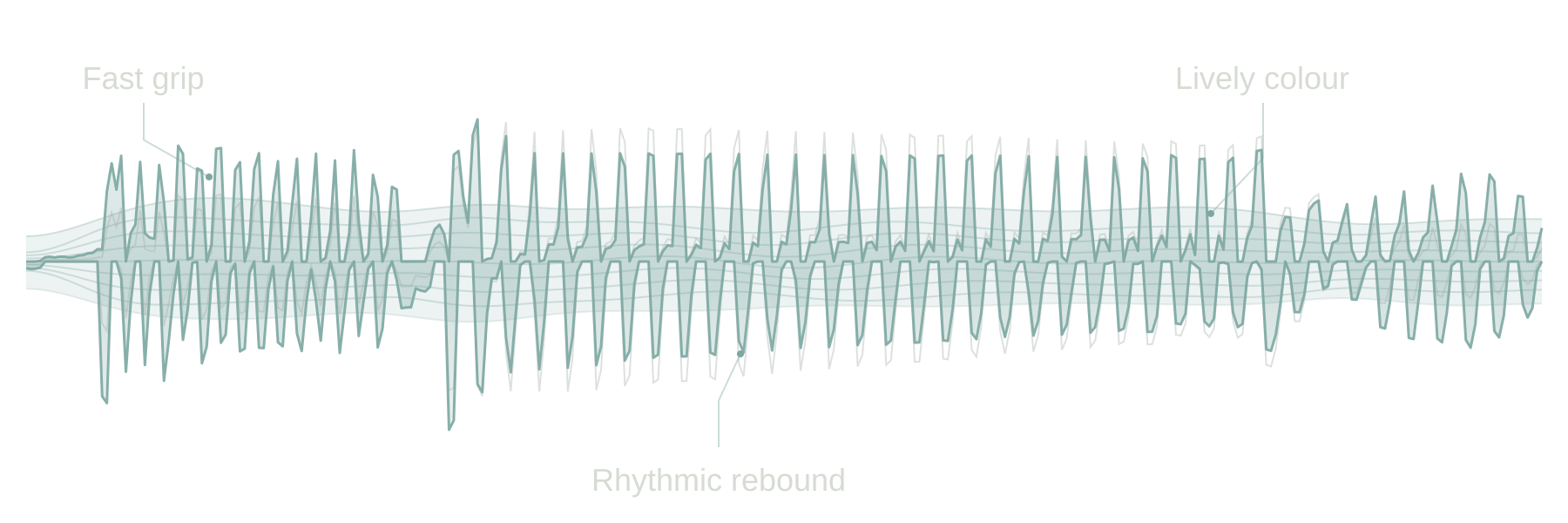
From a gradual return to holding briefly and then letting go: REBOUND changes the recovery shape at the same nominal DECAY time. Listen to the snare tail and the gap between kicks.
PWM-inspired groove compressor
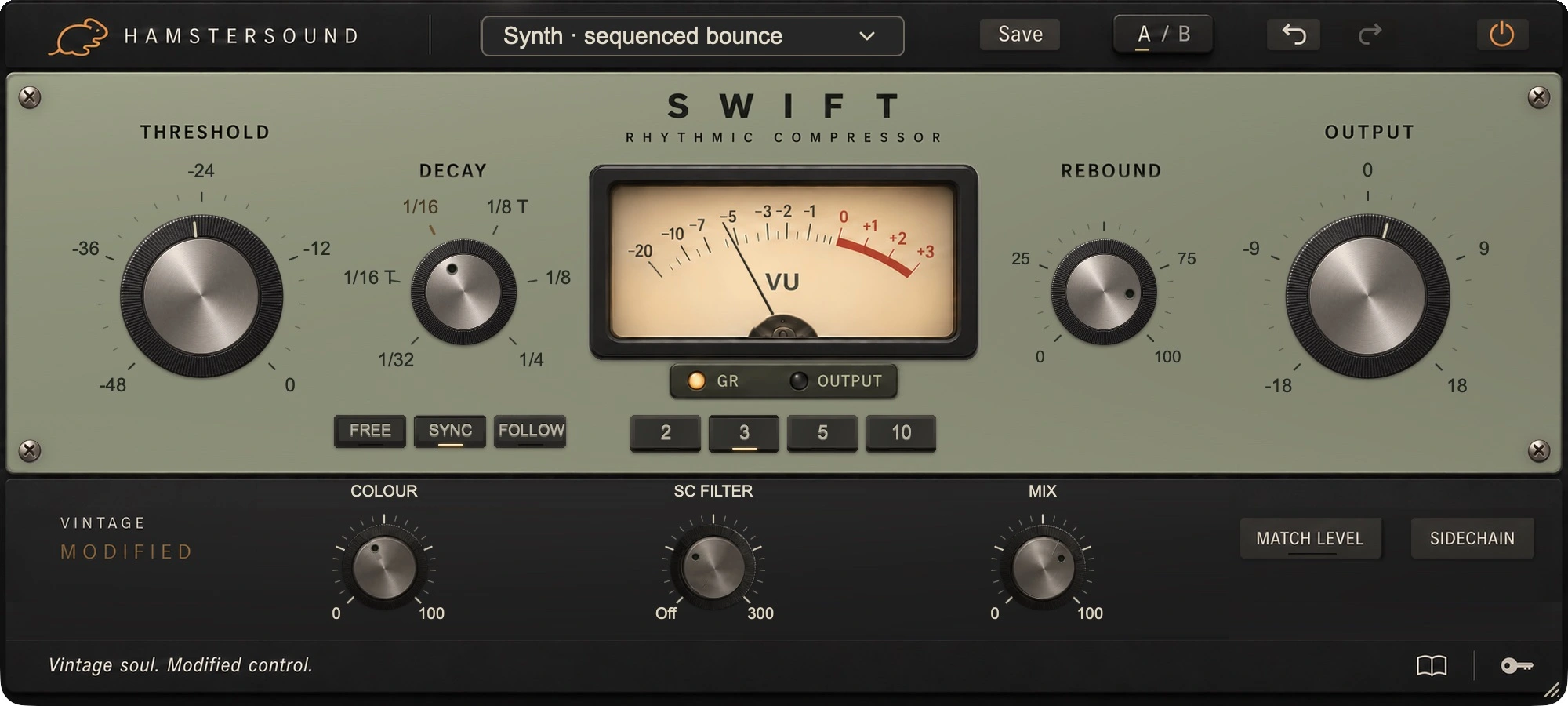
SWIFT draws on the rhythmic character of vintage PWM compression. Its focus is what happens between hits: a kick making room for the next beat, a snare springing back or a guitar part that keeps moving. THRESHOLD and DECAY set the foundation; REBOUND shapes the recovery.
No iLok required
macOS · Apple Silicon + Intel
PWM-inspired groove compressor
The PWM tradition is SWIFT’s starting point: characterful compression with an emphasis on timing and recovery. Our version has one distinct voice and a separate control for the shape of its return. Choose it when you want to shape a part’s movement as well as manage its peaks.
VINTAGE MODIFIED
This is Vintage Modified: the lively response of PWM compression, with REBOUND and tempo-related recovery to give a repeating part its own pulse.
From a gradual return to holding briefly and then letting go: REBOUND changes the recovery shape at the same nominal DECAY time. Listen to the snare tail and the gap between kicks.
In SYNC, the DECAY dial shows note lengths and follows your DAW tempo. The temporary value display also shows the corresponding time. FREE keeps its own millisecond setting; FOLLOW estimates the spacing of earlier hits. Compare them on a kick, snare or rhythmic guitar part and choose how recovery fits the groove.
SWIFT changes the level between hits. FOLLOW uses previous onsets and does not move recorded notes. COLOUR and MIX determine how much of its sound and movement ends up in the part.
SOUND CHARACTER
Gives repeating parts movement and a springy pulse.
IN THE MIX
Find a DECAY that lets the drum bus breathe before the next important hit. Turn REBOUND while the groove plays: listen for the snare springing back and the kick keeping its place in the rhythm.
With clear accents, FOLLOW can adapt recovery to the played pattern. On dense sixteenths or tracks with plenty of spill, FREE offers more control. Keep the quiet notes part of the rhythm.
On short funk chords, recovery shapes the feel between strokes. Try gentle compression first; blend in a stronger parallel layer with MIX if the part needs more emphasis.
Listen to how each bass note returns between the kicks. A suitable DECAY can help the line move with them. Lengthen recovery if a fast return becomes restless, and compare within the full rhythm section.
Choose the movement in the full mix; set the amount to suit the recording.
IN YOUR SESSION
Keep the rhythm section playing while choosing DECAY and REBOUND. Compare the movement in FREE first, then try SYNC or FOLLOW. Use Match Level to judge the groove without a louder output deciding for you.
Exact values appear briefly in one fixed position at the bottom when you point to or adjust a control. You can still type a value directly and confirm it with Enter. The panel stays calm while you work.
Start with one of 30 presets grouped by application, then make it fit your track. The illustrated guide inside the plugin explains the controls with real interface images.
SWIFT / FAQ
About its sound, controls and the 14-day free demo.
SWIFT is a Vintage Modified compressor with a PWM-inspired character. Its focus is the movement between hits: how a snare springs back, a bass note makes room for the kick or a synth arpeggio keeps pulsing.
FREE uses its own DECAY time in milliseconds. SYNC links recovery to note lengths and your DAW tempo. FOLLOW estimates the spacing between earlier attacks; it changes the recovery behaviour, not the timing of your recorded notes.
REBOUND changes the shape of the recovery at the same nominal DECAY time. You can make the level return more gradually, or let the reduction hold a little longer before releasing. Listen to the snare tail and the space before the next kick.
A repeating synth arpeggio, drum bus, rhythm guitar or a bass line with a clear pulse are good starting points. Set DECAY while the groove is playing. COLOUR adds character, while MIX lets you blend a more heavily processed layer beneath the original attack.
Yes. Create an account, download SWIFT and start the demo from the plugin through your account. You have 14 days to assess its sound and controls on your own tracks.
14-day free demoThe current SWIFT download is for macOS 11 or later, on Intel and Apple Silicon. AU and VST3 are included. Choose the format supported by your DAW.