HamstersoundSTUDIO & PLUGINS

STRIKE

€59€45incl. VATIntroductory price
14-day free demo
All five compressors
€189€140incl. VATIntroductory price

FET compressor · fast control

Give the kick an edge.
Let the snare speak.

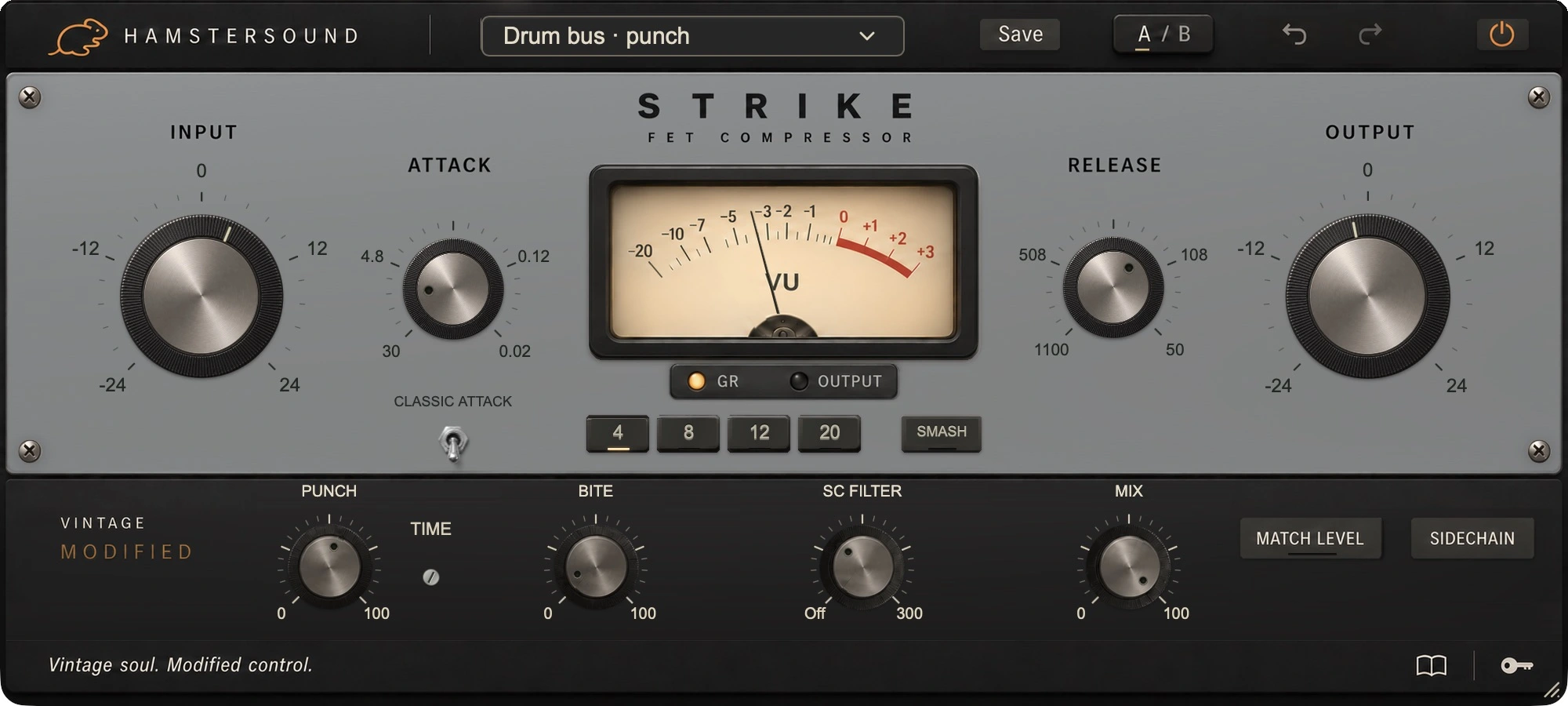
STRIKE brings the fast, assertive response of classic FET compression to drums, bass and electric guitar. Bring the attack forward, contain sharp peaks or build a strong parallel layer. INPUT, ATTACK and RELEASE set the foundation; PUNCH and BITE refine the onset and body.

  • AUAudio Units
  • VST3VST plugin

No iLok required

macOS · Apple Silicon + Intel

STRIKE steel-blue/grey compressor interface with Attack and Release, with PUNCH, the metal TIME screw, BITE and Classic Attack

FET compressor · fast control

React quickly.
Let character through.

The FET tradition means fast compression with an assertive character. STRIKE gives you direct control over the first milliseconds and what follows. Our idea is that firm control should also be a choice of tone and energy: from contained bass notes to a forward snare or a room track that can sound big.

Hands on the sound

INPUT / RATIO
Raise INPUT for more compression. Choose a lower ratio for control or a higher one for a more obvious intervention. Bring OUTPUT back so extra volume does not colour the comparison.
ATTACK / RELEASE
A slower ATTACK gives the first hit more room. A faster setting contains it more firmly. Set RELEASE against the snare tail or the next bass note.
CLASSIC ATTACK / SMASH
CLASSIC ATTACK selects the fast attack range. Try SMASH for a more heavily compressed room or drum layer and blend it beneath the original with MIX.

VINTAGE MODIFIED

Grip needn’t take
the attack away.

This is Vintage Modified: fast FET compression, with PUNCH, TIME and BITE to tailor the balance of attack, body and colour to your track.

PUNCH / TIME

STRIKE: PUNCH control and the small metal TIME screw for 1 to 30 milliseconds

Let a kick hit or snare crack through while the body is compressed. PUNCH sets how much of a fresh onset is protected; the small metal TIME screw sets how long: 1–30 ms. Start at 8 ms and listen to the initial hit. Punch Time works independently of the compressor ATTACK.

BITE

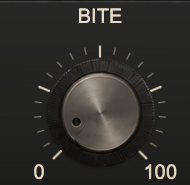
Close-up of BITE in STRIKE

Once the attack feels right, add BITE if the note needs more edge. This extra harmonic layer follows the body. At zero, the underlying FET character remains.

CLASSIC ATTACK / SMASH

Use ATTACK and RELEASE for the basic movement. PUNCH refines the fresh onset; BITE the extra colour afterwards. Place the initial hit and its body in the mix separately.

SOUND CHARACTER

The character of STRIKE

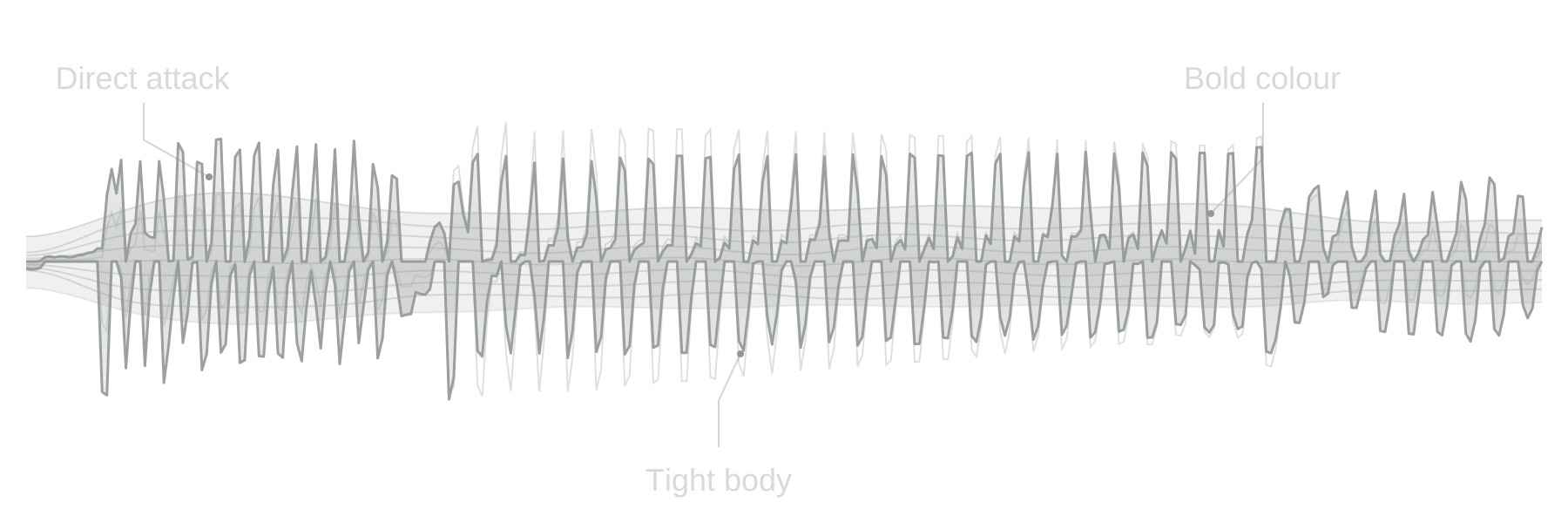
Brings attack and energy forward, with control when you drive it harder.

STRIKE sound illustration: attack, body and tonal colour
Compare the five characters

IN THE MIX

Hit, edge and sustain.
Choose what comes forward.

Kick & snare

First decide whether you want more or less of the initial hit. Set ATTACK accordingly and add PUNCH if the hit becomes too small. Set RELEASE so the next hit arrives well.

Electric guitar

On a clean or lightly driven part, contain stray attacks and bring the notes forward. BITE can add extra edge. Start gently if the amplifier is already compressing the performance heavily.

Bass guitar & slap

On slap bass, the hit and the body often come forward differently. Use ATTACK and PUNCH to place the hit, then judge whether BITE helps the bass speak among guitars and drums.

Drum rooms & parallel drums

Work a room track harder and listen to the sustain coming forward. Try SMASH and blend back with MIX until the space is felt without displacing the direct drums.

Choose the movement in the full mix; set the amount to suit the recording.

IN YOUR SESSION

Place the attack first.
Then fill out the body.

Work on a short section containing both the hardest and the normal hits. Set INPUT, ratio and timing before adding PUNCH and BITE. Compare with Match Level in the full mix and listen for the part speaking more clearly while the groove stays intact.

Keep your eyes on the music.

Exact values appear briefly in one fixed position at the bottom when you point to or adjust a control. You can still type a value directly and confirm it with Enter. The panel stays calm while you work.

Start with one of 30 presets grouped by application, then make it fit your track. The illustrated guide inside the plugin explains the controls with real interface images.

Details.

Format
AU · VST3 · macOS 11+ · Intel & Apple Silicon
Latency
32 samples

STRIKE / FAQ

Frequently asked questions about STRIKE

About its sound, controls and the 14-day free demo.

What kind of compressor is STRIKE?

STRIKE is a Vintage Modified FET compressor with a fast, assertive response. It gives you control over sharp peaks and the balance between the initial hit and the body that follows. Think kick, snare, slap bass, electric guitar and drum rooms.

How do ATTACK, PUNCH and TIME differ?

ATTACK sets the basic response of the compressor. PUNCH can protect a new attack while the body is compressed. The small TIME screw sets how long that protection lasts, from 1 to 30 ms, independently of ATTACK. Listen to the initial hit of a kick or snare.

What does BITE add to the regular FET sound?

BITE adds an extra harmonic layer that moves with the body. It can help a bass speak through the mix or give a guitar more edge. At zero, the regular FET sound remains; set the compression first before adding extra BITE.

How do I use STRIKE for parallel drums?

Compress a drum or room track more firmly and try SMASH for an assertively compressed layer. Blend it back with MIX until the room and energy come through while the direct drums keep their place. Compare the result with Match Level in the full mix.

Does STRIKE have a 14-day free demo?

Yes. Create an account, download STRIKE and start the demo from the plugin through your account. You have 14 days to assess its sound and controls on your own tracks.

14-day free demo
Which systems and plugin formats does STRIKE support?

The current STRIKE download is for macOS 11 or later, on Intel and Apple Silicon. AU and VST3 are included. Choose the format supported by your DAW.