
TONEVIEW
An overview for your final mix decisions.
The TONEVIEW design gives you a visual overview of the tonal balance in your stereo mix. Use it as context while listening and choosing the processing amount.
TONE Compact
Work on the final tonal decisions for your stereo mix in the familiar Compact interface.
€ 59,00 incl. VAT
LEVELVIEW is collapsed by default. Open it with the button above.
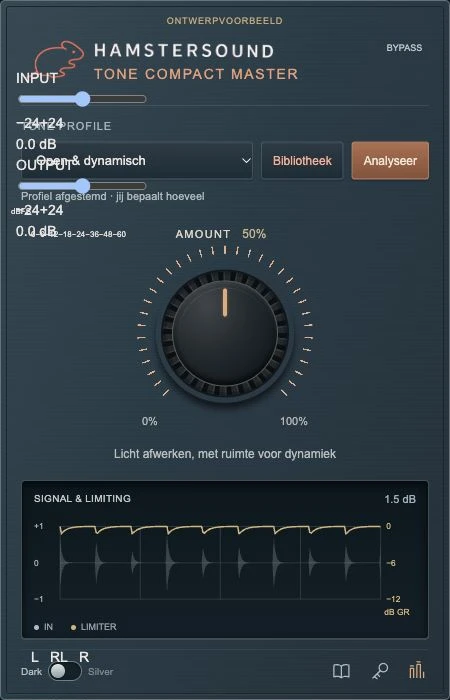
TONEVIEW / LEVELVIEW
TONEVIEW shows the processing inside the plugin. LEVELVIEW adds a separate level-meter panel when you need it. Keep the interface compact or open the meters for a closer look.
TONEVIEW
The TONEVIEW design gives you a visual overview of the tonal balance in your stereo mix. Use it as context while listening and choosing the processing amount.
LEVELVIEW
LEVELVIEW is the meter panel that opens beside the plugin. Read the stereo input and output levels in dBFS, check peaks and adjust the input and output trims. This helps you compare the processed and original sound at a similar level.
Use the Dark, Silver version and LEVELVIEW buttons above to compare the interface views. The readings in these images are illustrative; the controls here change the picture.
macOS · Audio Units (AU) / VST3. Use a DAW that supports your chosen plugin format.
€ 59,00 incl. VAT